 knacksnews
Everything You Should Know About 123Apps Online Video Editor
Video editing is no longer limited to professionals with high-end software. With the rise of online video editors, anyone can edit videos quickly without downloading bulky programs. One such tool is the 123Apps Online Video Editor, a browser-based editor designed for ease of use. If you’ve been searching for an online editor that doesn’t require advanced skills, this might be the right fit for you. But does it truly live up to the expectations? This review takes a deep dive into its features, usability, and overall performance to see if it’s worth your time.
Features and Usability
The 123Apps Online Video Editor seeks to present a straightforward, easy-to-access experience for the user who just needs to get quick video editing done without bothering with complicated features. One of its best attributes is that it is browser-based. There's no need for downloads or installs, which makes it ideal for users who only require a lean editing solution.
The editor has basic cutting, trimming, merging, and video speed-adjusting capabilities. Cutting out the unwanted sections of a video or making a highlight reel gets the work done. The interface is not cluttered at all, which makes new users feel at ease immediately. While some advanced editors confuse users with too many buttons and choices, 123Apps is straightforward. This permits users to edit exclusively without any distraction from irrelevant features.
While simplicity is a strength, it also means there are some limitations. The tool lacks advanced features like multi-layer editing, professional transitions, or deep color correction. If you’re looking for high-level effects, this editor might not be sufficient. However, for quick and straightforward editing, it gets the job done. Users who require more creativity in their editing might feel constrained, but for those who need efficiency over complexity, this editor is a solid choice.
Performance and Compatibility
One of the largest strengths of 123Apps Online Video Editor is that it is compatible. Because it operates directly within a web browser, it will work on Windows, macOS, and even smartphones. There is no requirement for heavy hardware, making it accessible to individuals who have older computers. This means that anyone who has access to the internet can begin editing videos immediately without having to worry about installing the program or dealing with software updates.
The editor accommodates multiple video formats, such as MP4, MOV, AVI, and others. This means you won't encounter compatibility problems when uploading various files. The speed of processing relies on your internet connection since everything is online. For brief videos, rendering is quick, but longer videos may take time, particularly if your connection is not good. Slow internet speeds may cause lag in users, and that can be annoying when they are working on deadlines.
Another highlight is that the tool does not require account registration. You can start editing right away without signing up, which is a huge plus for those who want a quick, hassle-free experience. However, since it’s a cloud-based tool, privacy-conscious users might have concerns about uploading their videos to an online platform. While there are no reports of security breaches, it’s always wise to avoid uploading sensitive content if privacy is a priority.
Pricing and Accessibility
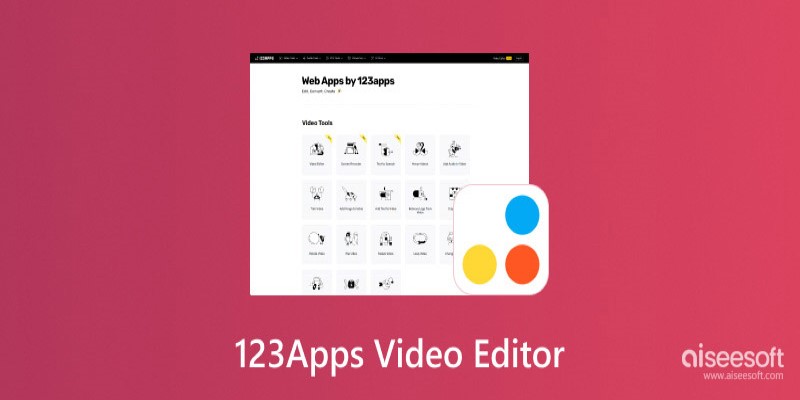
One of the key factors when choosing a video editor is its cost. 123Apps Online Video Editor is completely free to use, which is a huge advantage for casual users who don’t want to spend money on expensive software. Since there are no hidden fees or premium plans, you get access to all its features without any paywalls. However, this also means that you won’t find high-end editing tools or advanced customization options. If you need a free and simple solution, this editor is a great choice, but professionals might find it lacking.
For users who require more control over their video projects, paid editing software like Adobe Premiere Pro or Final Cut Pro might be a better alternative. However, these programs require a steep learning curve and financial investment. 123Apps, on the other hand, is designed for those who need quick results without complications. This makes it an excellent tool for one-time projects, school assignments, or quick social media edits without any financial commitment.
Pros and Cons of 123Apps Online Video Editor
Pros:
No Installation Required—It works entirely in a web browser, eliminating the need for downloads. This makes it accessible from any device without worrying about system requirements.
Easy to Use – The interface is designed with simplicity in mind, making it perfect for beginners who don’t want to deal with a steep learning curve.
Supports Multiple Formats—It works with MP4, AVI, MOV, and other common file types, ensuring seamless compatibility with various media sources.
Quick Editing – Perfect for trimming, merging, and adjusting video speed without requiring complex settings or configurations.
No Sign-Up Required – You can edit videos without creating an account, allowing for a fast and anonymous editing experience.
Cons:
Limited Features – While it covers the basics, it lacks advanced tools like multi-layer editing, transitions, and color grading. If you’re looking for professional editing capabilities, this may not be the right choice.
Internet Dependency – Since it’s a web-based editor, a stable internet connection is required. Slow or unstable connections can lead to lag and longer rendering times.
Slow for Large Files—While it's efficient for short videos, longer files may take significant time to process and export, which could be inconvenient for users working on larger projects.
Conclusion
The 123Apps Online Video Editor is a great tool for those who need quick and straightforward video edits without dealing with complex software. It offers an accessible, no-hassle experience with basic features that are easy to use. While it may not be suitable for professional video editing, it serves as an excellent choice for casual users who want to trim, cut, and merge videos effortlessly.
If you’re looking for a lightweight, web-based editor that doesn’t require sign-ups or installations, this tool is worth considering. However, if you need more advanced features, you might want to explore other options.
Related Articles
Choosing the Right 4K Video Upscaler: Top Five Picks

Maximize Your Efficiency: The 10 Best Productivity Apps for iPad

How to Choose the Best Automation Software for Your Business: A Guide
Find Your Perfect Fit: The Best Appointment Schedulers and Booking Apps

Master AI Automation: 5 Ways to Automate Brain Pod AI Effectively

Best Free Tools to Resize Bulk Images Before Uploading to WordPress
Cloud-Based Spreadsheet Tips: Convert Excel to Google Sheets

The Best CRM Software for Real Estate Agents: Top Picks for 2025

Improve System Speed Fast Using These Top 5 PC Optimization Tools
Everything You Need to Know About CapCut Video Upscaler
Comparing NTSC and PAL: Which Analog TV Format Was Better?